
Proposals
Proposes what to try next
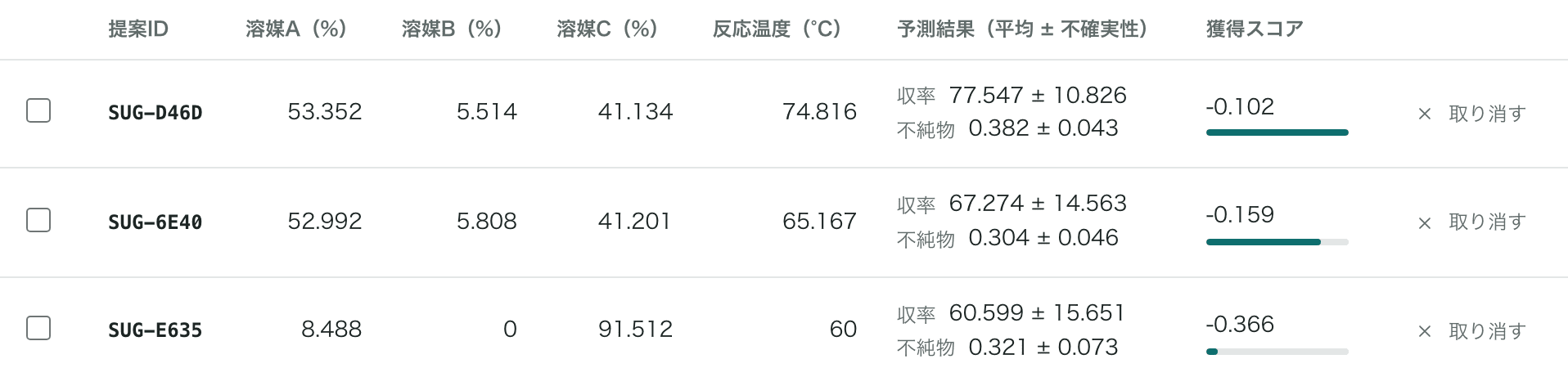
Based on results so far, it presents candidate conditions with predicted values and their uncertainty.
LabOptima
Register your experimental conditions and goals, and each time you enter results, LabOptima proposes candidate conditions to try next. Experiment-condition optimization software that runs on the researcher's PC.

Proposals
Based on results so far, it presents candidate conditions with predicted values and their uncertainty.
Multi-objective
Trade-offs such as yield versus impurities are handled together, and you can add upper and lower limits on measured values.
Local
Data is never sent outside your organization, and it works on PCs without a network connection.
Repeat the cycle of registering conditions, getting proposals, and entering results to find conditions that meet your goals.
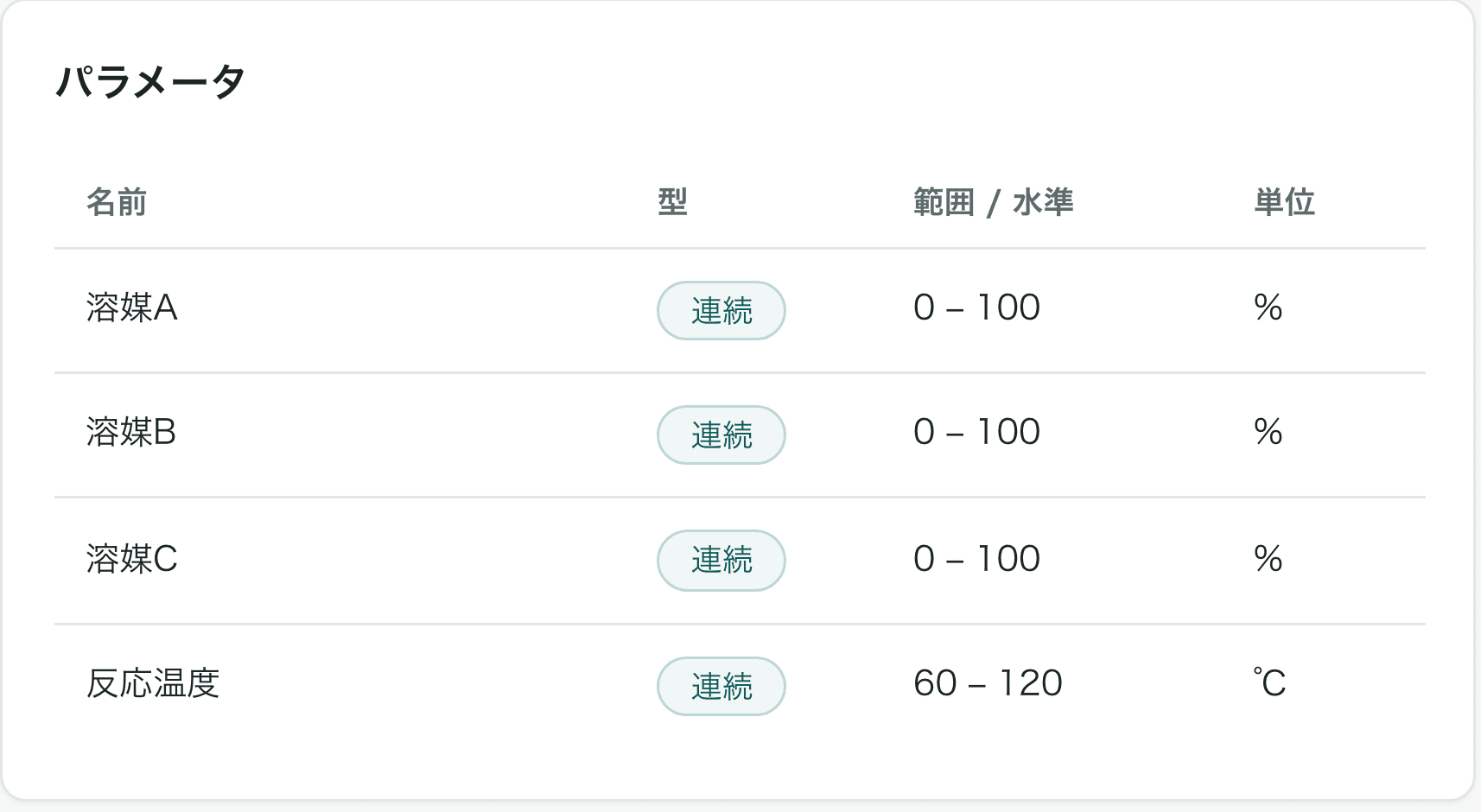
Register the conditions to vary, their ranges, and the target properties.
The next conditions to try are shown with predicted values and uncertainty for each property.
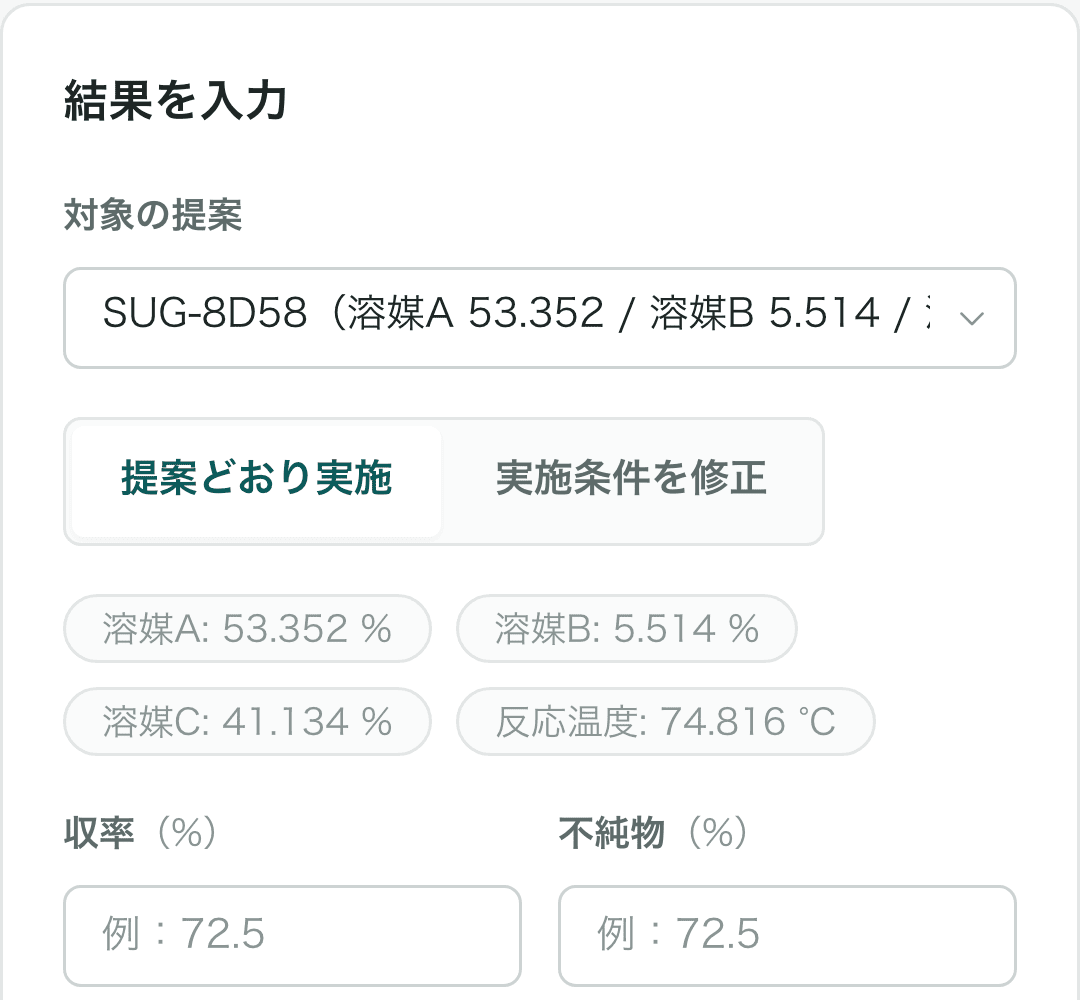
Enter your experimental results. Added results are used to calculate the next candidates.
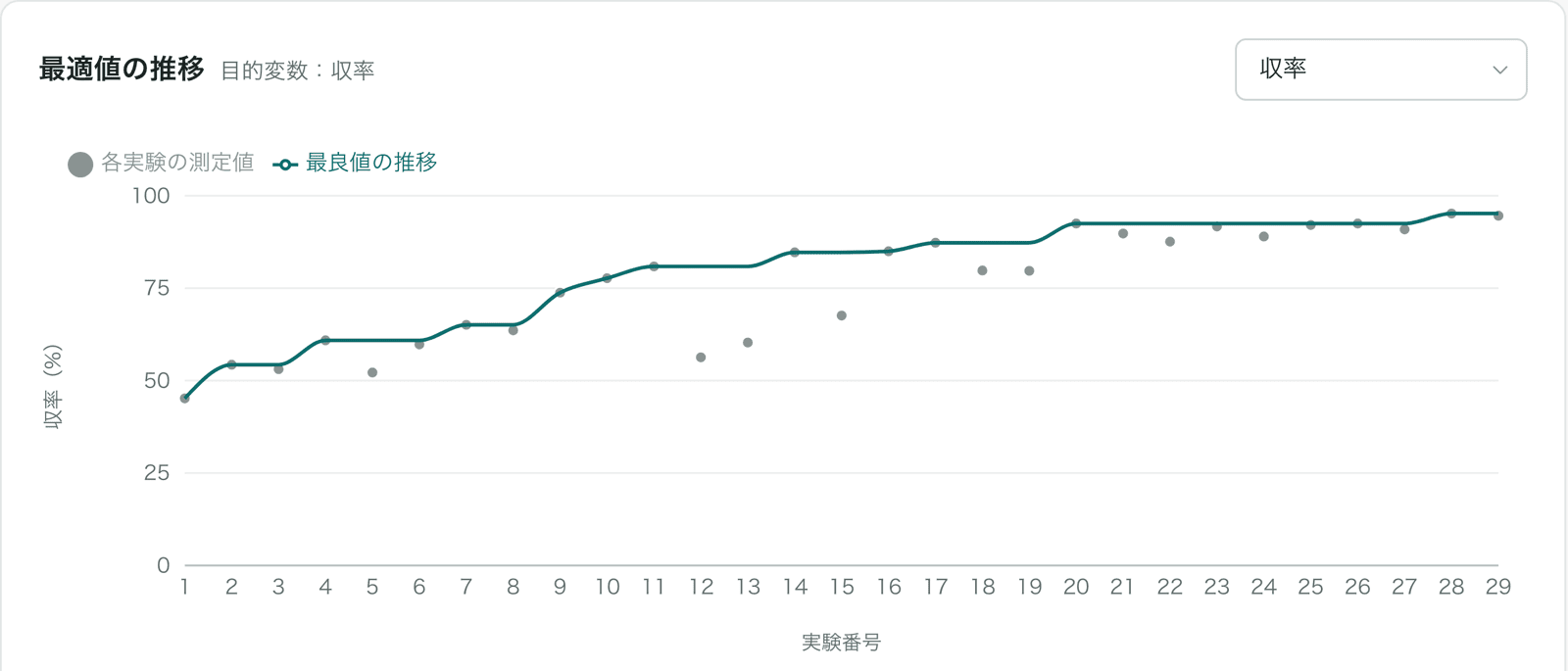
Check the progress of the best value, response surfaces, and how strongly each condition matters.
Set conditions such as “viscosity of 60 Pa·s or less” separately from your goals.
Set formulations that sum to 100% and inequalities between components on screen.
Load experiment records as Excel or CSV files, even with mixed header, unit, and summary rows.
Compare several candidates side by side on charts of predicted values and uncertainty.
Correct registered results with a reason; previous values are kept in the history.
Export the experiment history as Excel or CSV for reporting and sharing.
A walkthrough using a conductive adhesive formulation, from registering conditions to proposals, entering results, and analysis.
The demo uses the Japanese interface and has no audio. Material names and values shown are fictitious.
We'll learn about your experiments and existing data, and show you how to use LabOptima.